NarroHire University
Loading…
Loading…
Most job searches make you rebuild yourself from scratch every time: a new form, the same story, over and over. Build your portfolio once and it's yours. One permanent, shareable page that covers your whole search, not just a single application.
It shows up in several real places:
narrohire.com/p/your-handle, yours to control. Drop it in an email
signature, a LinkedIn profile, a resume, anywhere you're already putting yourself out there.You don't need an open application to start. Build it now, while you're not under a deadline, and it's ready the moment you need it.
Your name, email, phone, location, and current role and organization aren't part of the portfolio wizard at all. They live under Account, in the left nav. Set those first. The portfolio picks up from there.
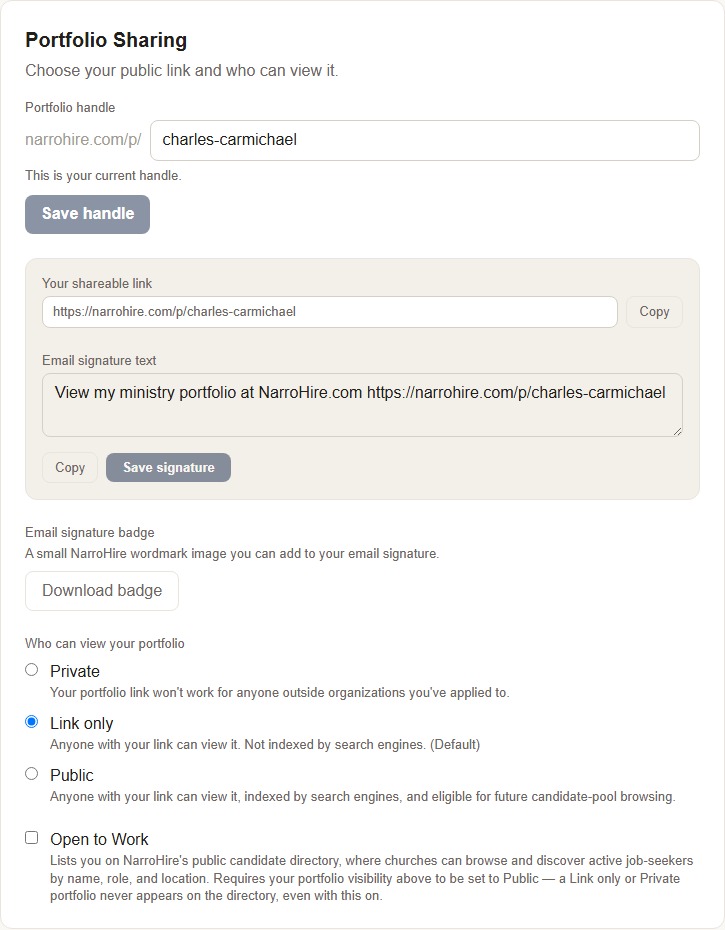
At the top of the Portfolio page, before any of the six content steps, you control exactly who can see this.
narrohire.com/p/... part of your link. Change it any time. Your old link
stops working the moment you do.Nothing here is permanent. Start private while you build. Flip to Public when you're ready to be found.
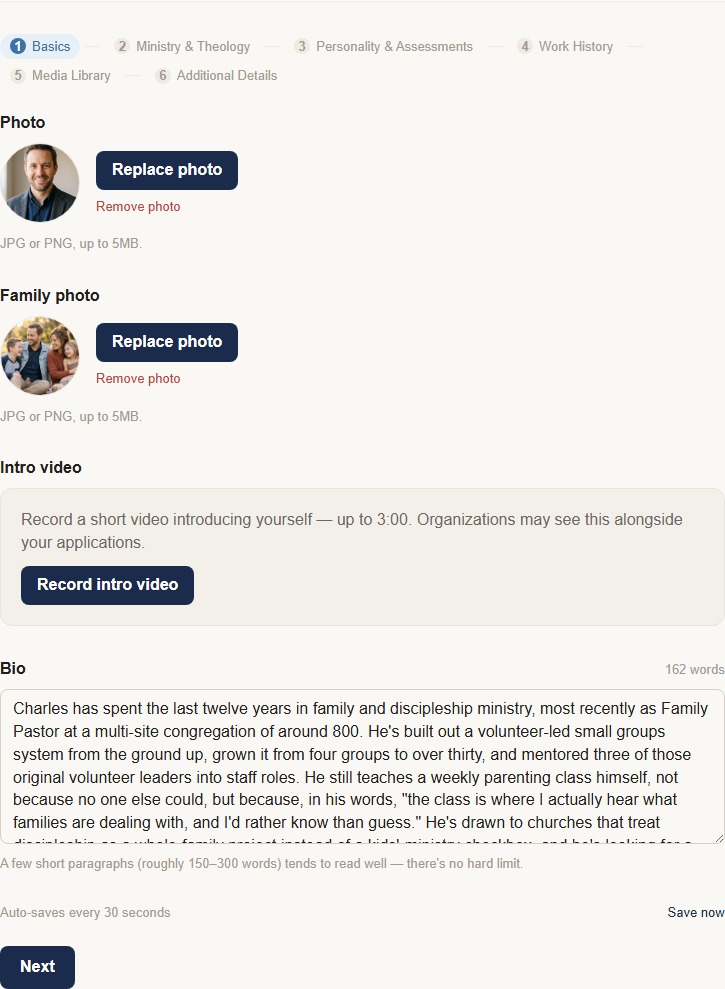
The step indicators at the top don't respond to clicks. You move through with Back and Next, and each step auto-saves as you go. Some steps also have their own explicit Save button. Nothing is required, and you decide what's worth filling in.
Your photo, an optional intro video up to three minutes long (organizations may see it alongside any application you submit), and your bio, where roughly 150 to 300 words is a good target, though there's no hard limit.
This is the section that turns a name on a list into an actual person before anyone reads a single qualification, and it's worth the most polish you can give it.
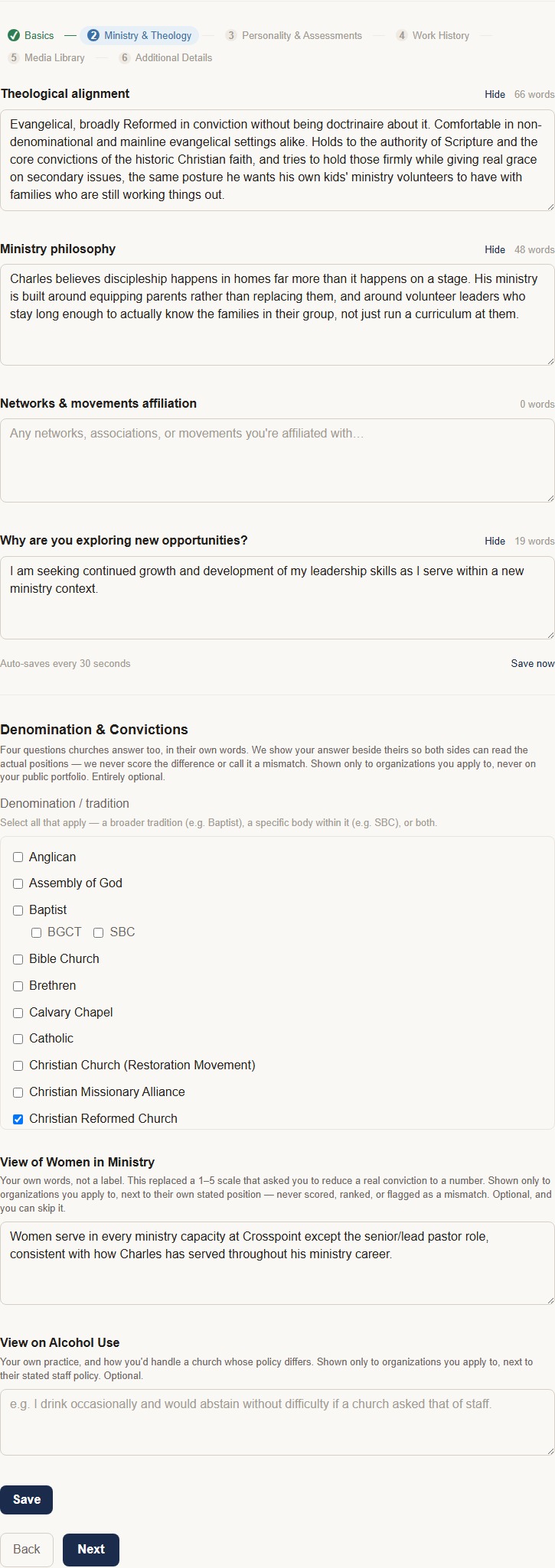
Theological alignment, ministry philosophy, your networks and movement affiliations, and why you're exploring new opportunities are all public, visible to anyone with your link.
Below that sits a separate block. Denomination & Convictions covers your denomination, your view on women in ministry, and your view on alcohol use. This part works differently. It's shown only to organizations you actually apply to, placed directly next to their own stated position on the same question. NarroHire never scores, ranks, or flags a mismatch between the two. You're not being graded against a church's answer, and neither is the church against yours. You're both just stating where you stand, so you can each make an informed call. Entirely optional, and you can skip any part of it.
Two different things live in this step, and they work differently.
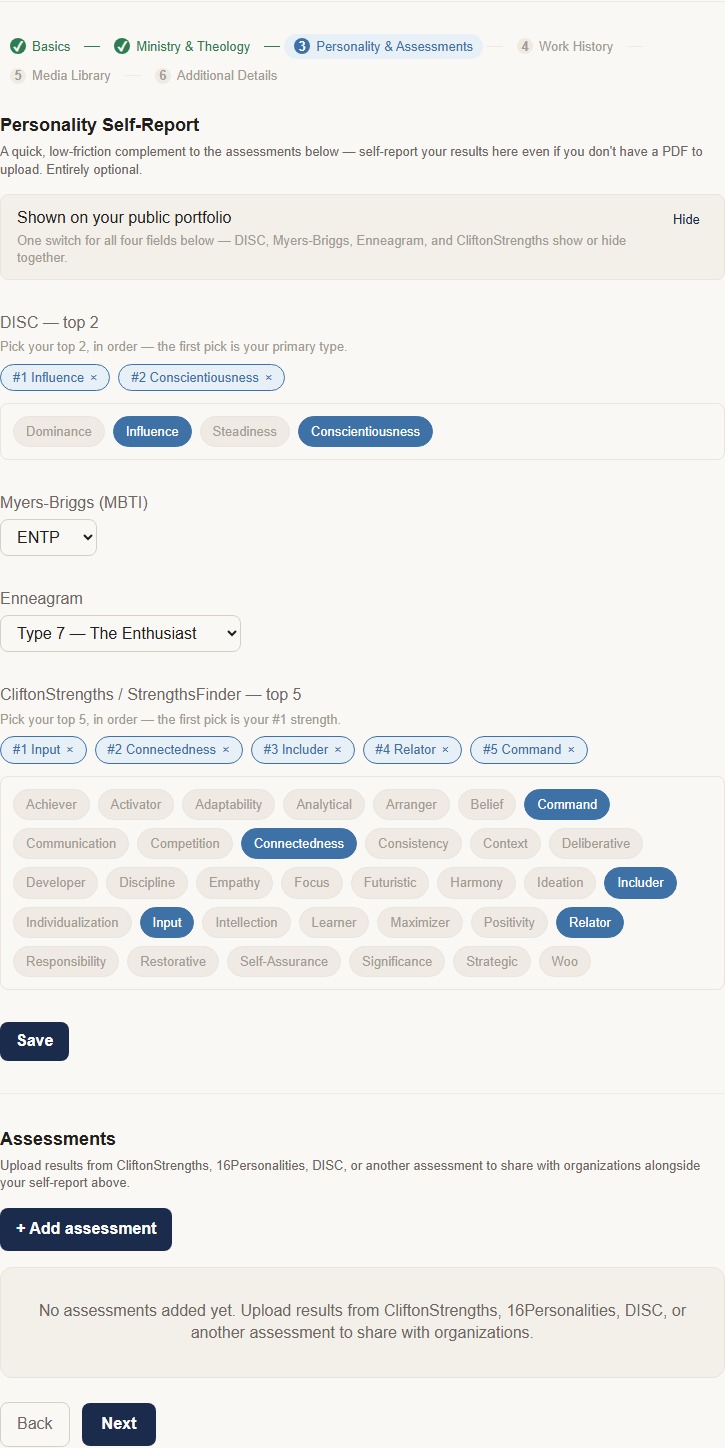
Personality Self-Report (DISC, Myers-Briggs, Enneagram, CliftonStrengths) is a quick way to record your own results even without a PDF to upload. One toggle covers all four fields together, on by default, so filling this in shows it on your public portfolio unless you switch it off. Your own choice, same as everything else here.
Assessments are different: actual uploaded results, like CliftonStrengths, 16Personalities, or DISC reports. These work like everything else in your portfolio. Upload once, then choose Display or Hide per item. Displayed assessments are visible on your public page.
If you've taken a real assessment, upload it. That's the version churches can actually see.
Add each position with dates, location, and an optional note. Same Display/Hide control, per entry, so a decade-old short stint doesn't have to be part of your public story even if it stays part of your record. A resume upload can auto-fill this section instead of typing every position by hand.
Links to teaching samples, sermons, or other video work, hosted on YouTube, Google Drive, or similar. There's inline guidance if you're not sure how to get a shareable link. Same per-item Display/Hide control as everywhere else.
Expected compensation (a whole-dollar annual figure, entirely optional) and your social media links (Facebook, Instagram, X, LinkedIn). None of it is required. Sharing any of it is always your own choice.
There's no minimum bar. A "Your portfolio is marked complete" toggle sits above the six steps. Mark it whenever you decide it's ready, no matter how many sections you've actually filled in, and un-mark it any time. NarroHire doesn't gate anything on this. It's for you.
Below the six content steps sits a separate block, marked clearly as not part of your profile content. It works independently of everything above.
The Cover Letter Generator is the standout. Paste in a job description from anywhere, not just a NarroHire posting, and it drafts a cover letter grounded in your real portfolio content, ready for you to edit.
Endorsements work like a lightweight reference, but public. You request one from a supervisor, colleague, or another professional contact, since immediate friends and family aren't eligible. They write it directly. You review and approve before it ever appears on your page. Endorsements are always positive by design, which puts the responsibility for what gets published on you.
Job Alerts is the familiar part. Turn on email notifications, pick up to three role categories you're interested in, and get notified when something matching opens up.
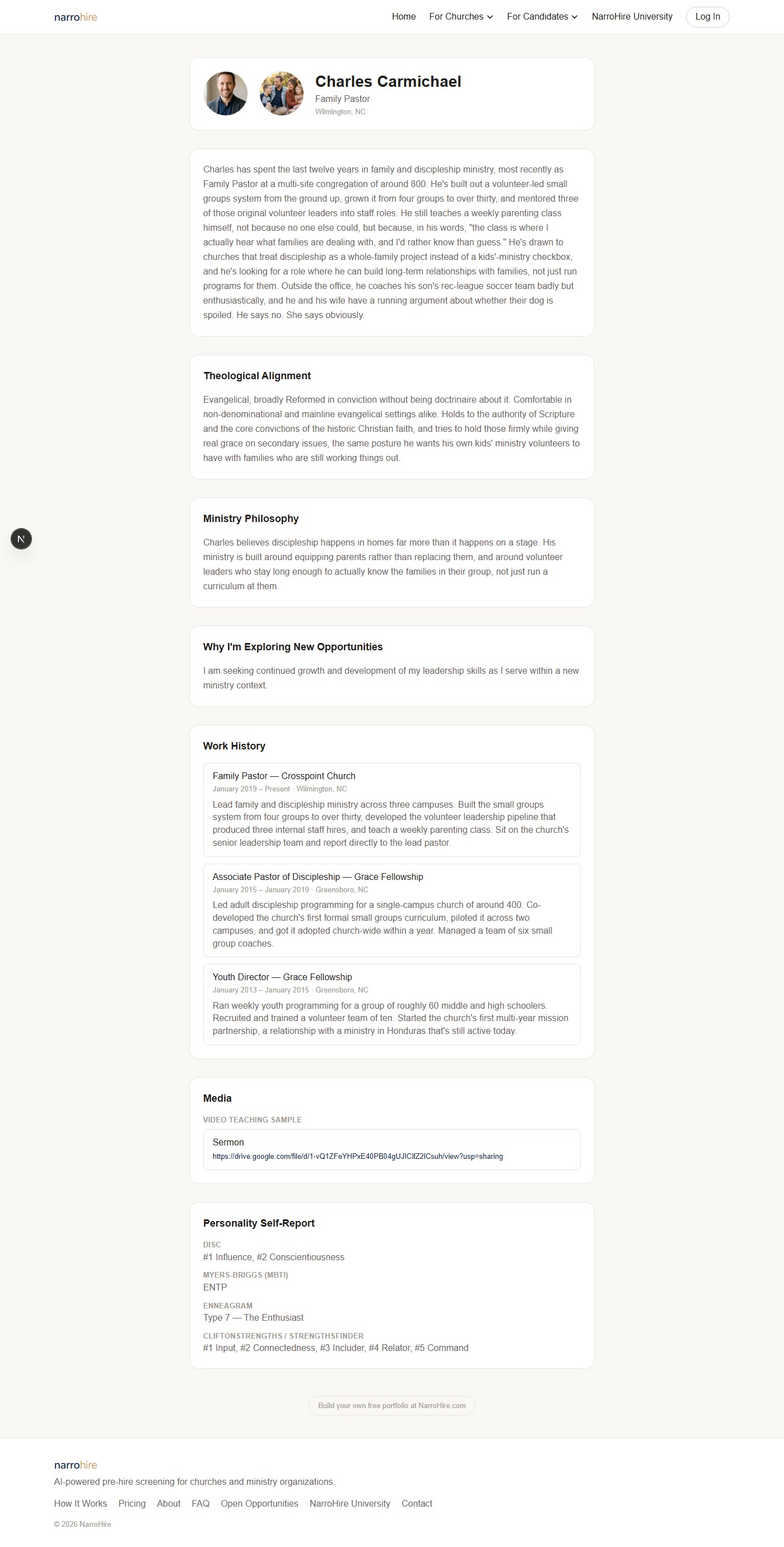
If someone visits your public link right now, this is the order things actually appear, top to bottom. Each block shows only if you've filled it in and, where relevant, left it set to Display.
Never shown publicly, no matter what: your Denomination & Convictions answers, which are org-only, per application. Your Personality Self-Report is the one candidate-controlled exception to "private by default" in this list — it starts on, and only stays out of view if you turn it off yourself.